 SenderGlow
MX
Who carries your mail: Google, Microsoft, Zoho or your own server.
MAIL HEALTH
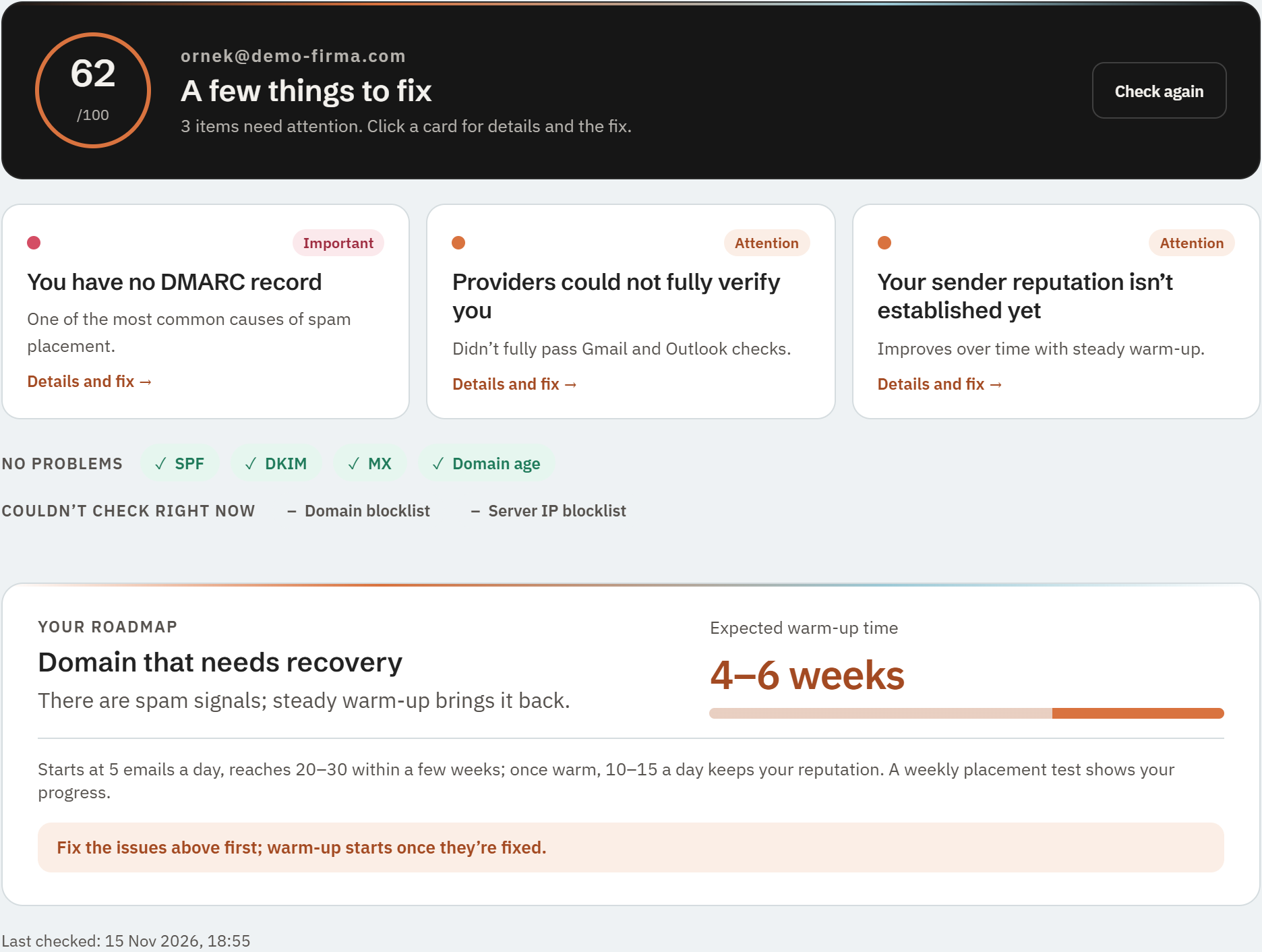
We read your domain’s public records and explain in plain language why your email might land in spam. We don’t just name a missing record; we give you a ready-to-copy version for your domain.
Who carries your mail: Google, Microsoft, Zoho or your own server.
Who may send on your behalf, including the record count and the 10-lookup limit.
Whether your emails are signed, and how strong the key is (1024-bit is weak, 2048-bit recommended).
What happens to spoofed mail. We tell you if there’s no record or it only monitors.
Whether your domain or sending IP is on blocklists. The licensed blocklist check opens with the paid plans; until then the result shows as "unknown".
New domains are treated with more caution; warm-up takes longer.
| What it means | What to do | |
|---|---|---|
| No DMARC record | No policy against spoofing; Gmail and Yahoo require one from bulk senders. | Start with p=none, watch the reports, then move to quarantine. |
| More than one SPF record | With two SPF records, both are invalid. | Merge them into one record. |
| SPF over 10 lookups | Too many includes; SPF fails. | Remove services you don’t use; flatten if needed. |
| 1024-bit DKIM key | Works, but considered weak. | Switch to a 2048-bit key with your provider. |
| Blocklisted | Some receivers may reject your mail. | Follow the list’s removal process. On shared hosting, move your mail service. |
If a check can’t be read (for example a blocklist doesn’t answer our query), we show it as “unknown” instead of guessing.
If there’s no technical problem and your email still lands in spam, the cause is usually reputation. We measure where with a placement test and improve it with warm-up.
If there is a technical problem, fix it first. Warm-up can’t make up for a missing DNS record.
Start free; no card needed. Want to look first? Open the sample dashboard.