 SenderGlow
Folder
Primary, Promotions, Updates or Spam. A message we can’t find stays “waiting”; we never fill it in with a guess.
PLACEMENT TEST
Send from your own tool with your own content to real measurement inboxes. See, provider by provider, whether each copy reached Primary, Promotions or Spam.
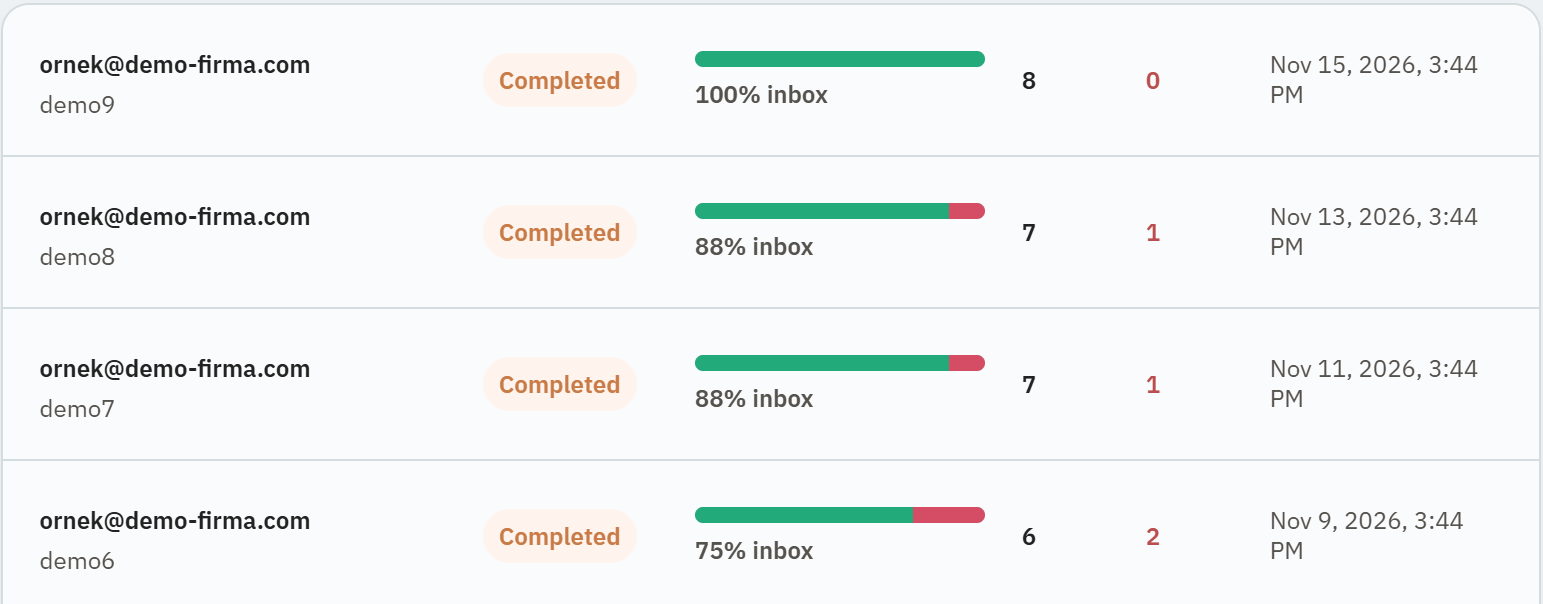
Enter the sender address; we give you measurement addresses unique to this test.
Send your email from your usual tool (Gmail, Outlook, your campaign tool). Use your real content.
We find the message in the measurement inboxes and record the folder and the SPF, DKIM and DMARC results.
Results come per provider. Test emails are deleted from the inboxes after measurement.
Primary, Promotions, Updates or Spam. A message we can’t find stays “waiting”; we never fill it in with a guess.
Gmail and Outlook/Hotmail are shown separately. You can be fine on one and in trouble on the other.
See the receiving server’s SPF, DKIM and DMARC verdict; technical problems show up here.
Each provider gets its own inbox rate, and the overall score is the average of those rates. A provider with more measurement inboxes can’t decide the result on its own.
Example: if every copy reaches the Gmail inbox (100%) and every copy lands in Outlook spam (0%), the overall score is 50%. What matters most is the per-provider result; it tells you where the problem is.
Each test is a point. See how your inbox rate changes as warm-up progresses.
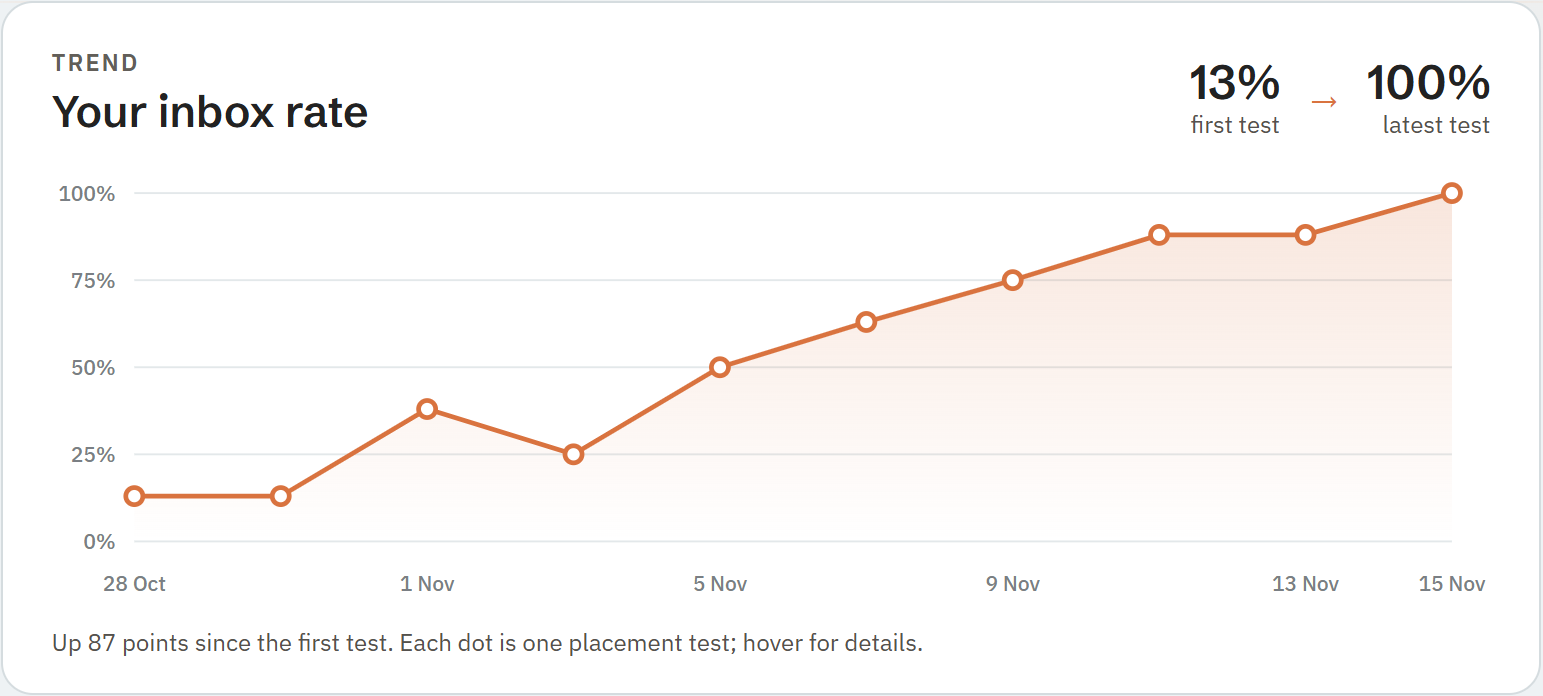
Your reputation is good. Keep measuring; a sudden drop is an early warning.
Check mail health first. If DNS is fine, the cause is reputation or content, and warm-up helps.
The problem is specific to that provider. Microsoft, for example, is more cautious with new senders.
Today we measure with Gmail and Outlook/Hotmail inboxes; Yahoo and iCloud are coming. A result reflects the time and the network it was measured on; it is not a universal delivery guarantee.
Start free; no card needed. Want to look first? Open the sample dashboard.